
New Learning. One powerful Moodle theme for your entire e-learning experience.
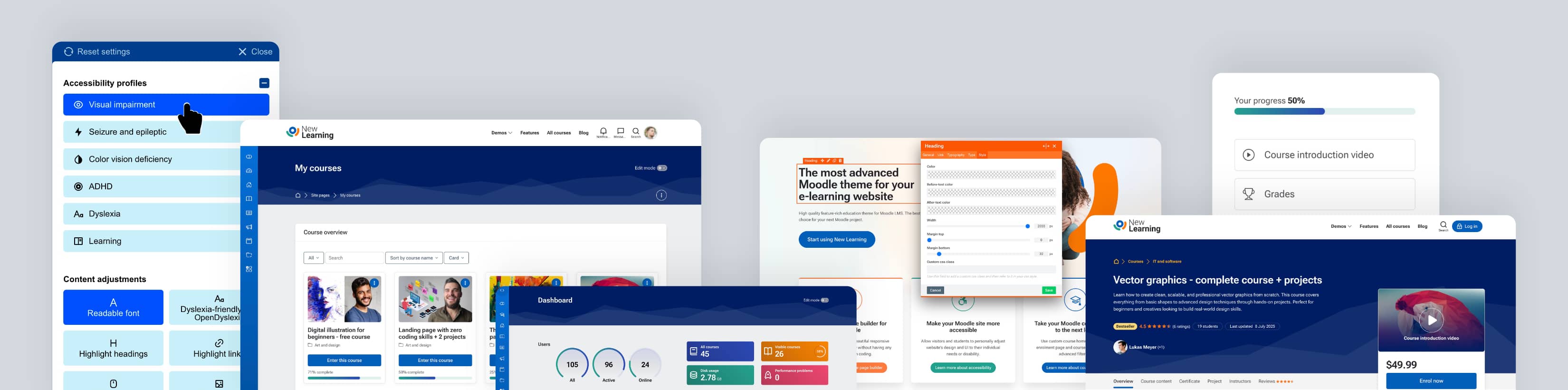
New Learning is a powerful Moodle theme that helps you create a complete, modern, and accessible Moodle website - from marketing pages and course sales to engaging learning environments and learner communication - all in one place.
Moodle website management
A complete set of core features designed to enhance your Moodle site. From visual page building and accessibility tools to multilingual support and responsive design, everything is built to improve usability, flexibility, and the overall learning experience.
Live Page Builder for Moodle
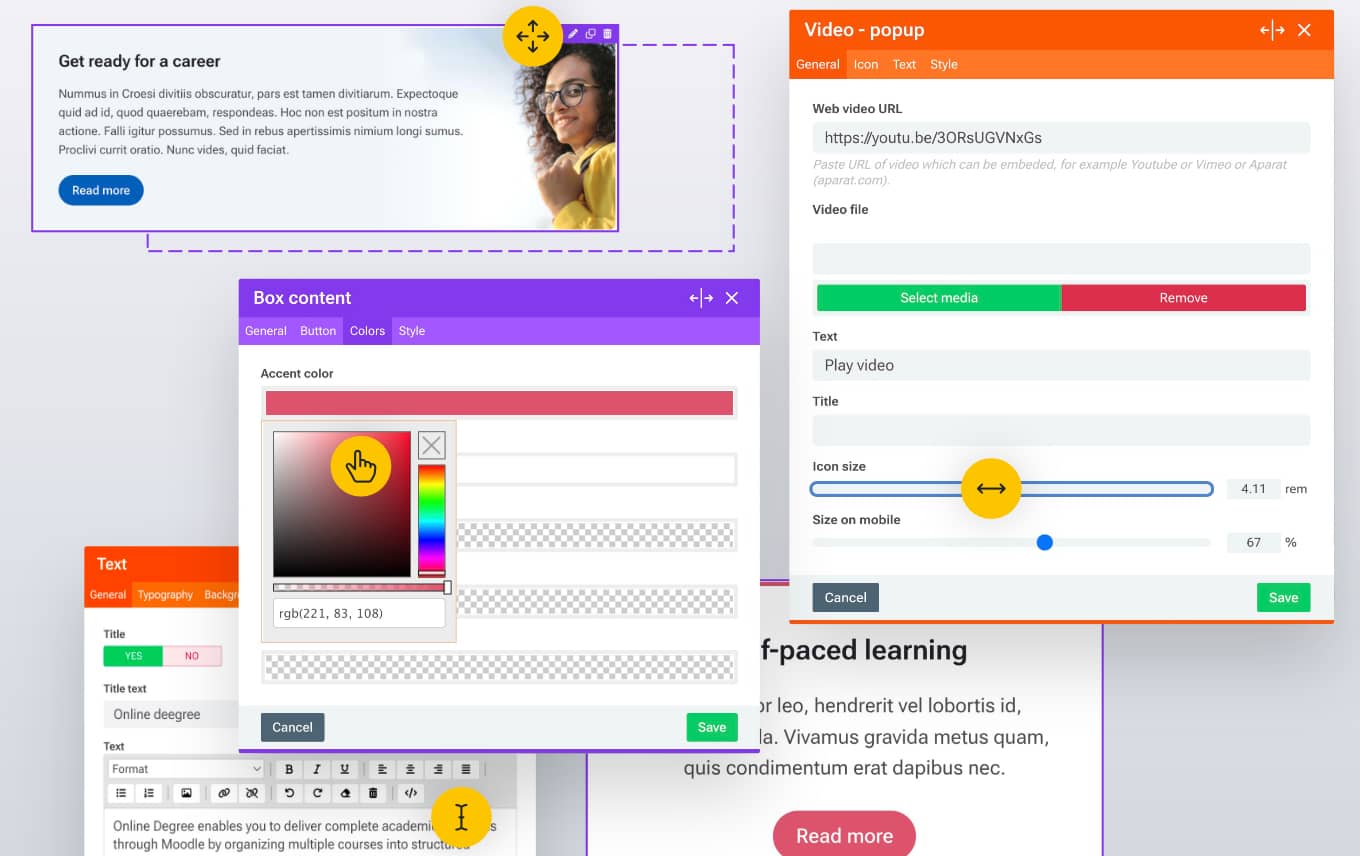
Turn Moodle into a complete website. Build stunning landing pages, marketing pages, and learner-facing content visually - without writing a single line of code.
Web Accessibility Widget for Moodle
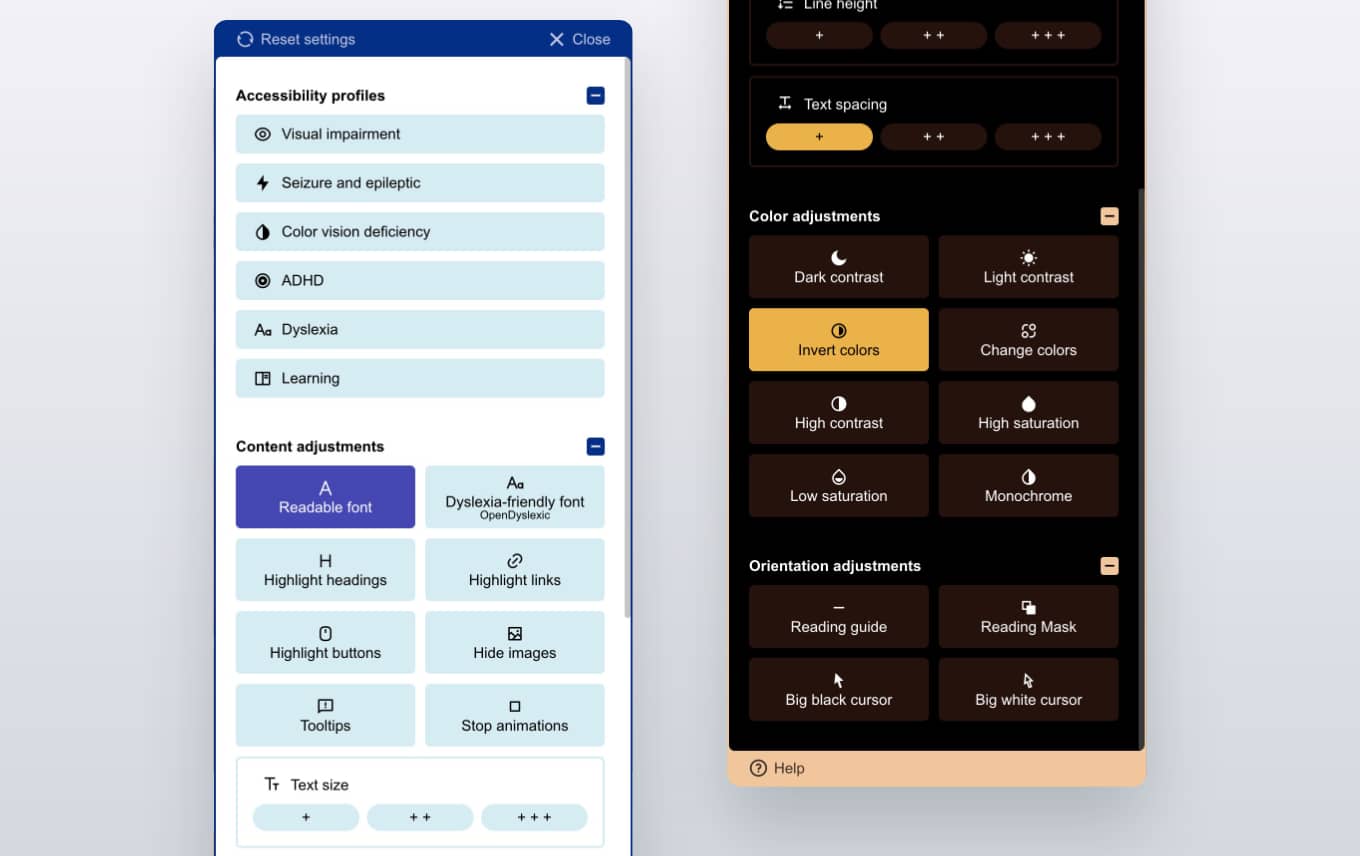
Create a more inclusive learning environment for all students. The built-in accessibility widget allows learners to personalize their Moodle experience by adjusting text size, contrast, spacing, focus indicators, and other visual settings to improve readability, navigation, and overall learning comfort.
Multi-language support
Fully compatible with Moodle Language Customization. Create multilingual Moodle websites using language packs, custom translations, and RTL language support for a localized experience worldwide.
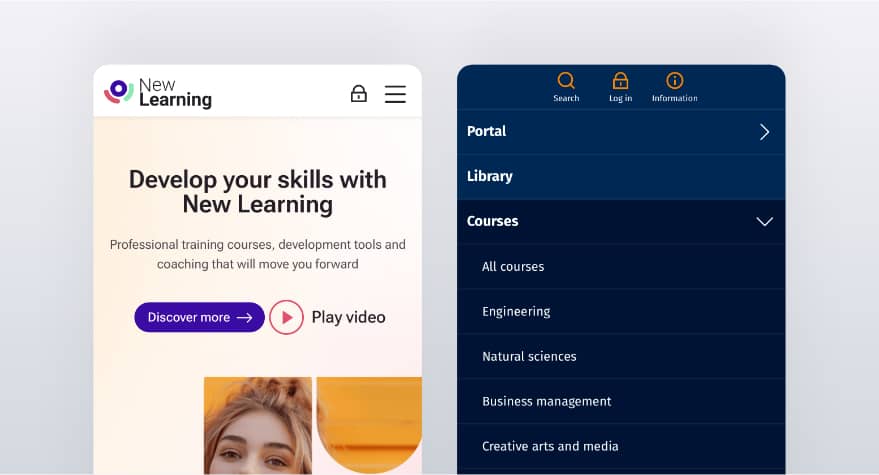
Designed for mobile devices
Fully responsive Moodle theme optimized for smartphones, tablets, and desktops. Provide learners with a smooth, accessible, and user-friendly experience on any device.
Easy and quick update
Fast and simple updates. Usually, only one or two files need to be uploaded and installed to get the latest version of the theme.
There's a number of great things I can say about New Learning as a Moodle theme. First, it's beautiful, so clearly Mariusz has an excellent understanding of good web design and how to make a learning management system fit the aesthetics and user experience we've come to expect from modern web applications. The fact that the accessibility tool is a core feature that requires no additional set-up is huge and a massive upgrade to what I had before...
Course discovery and enrolment
A complete set of features designed to help learners discover and enrol in your courses. From advanced filtering and engaging enrolment pages to category customization and course organization tools, everything is built to improve course visibility, simplify navigation, and increase enrolments.
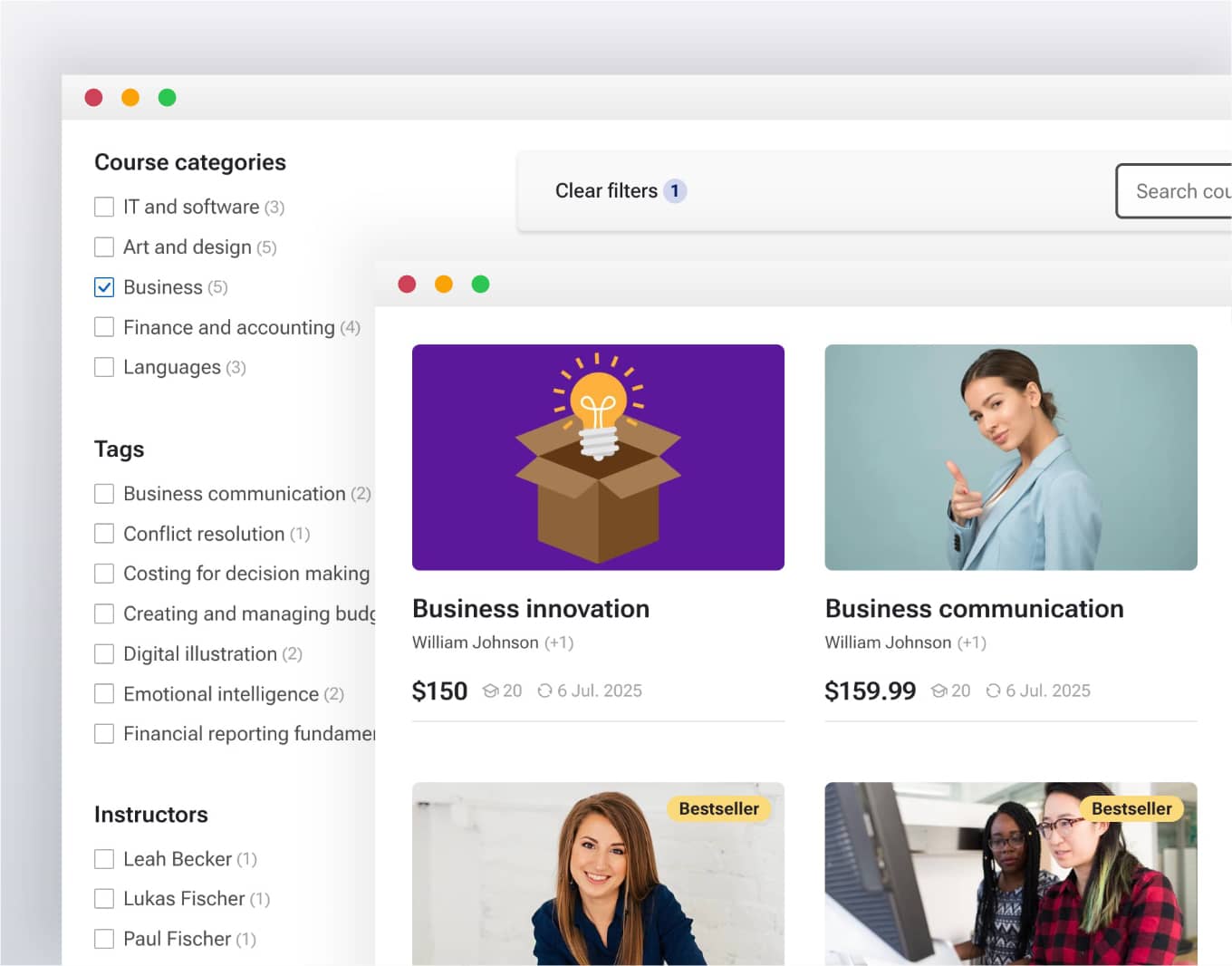
Advanced course filters
Fast AJAX-powered course filtering without page reloads
Quickly find the right courses with instant, seamless filtering. Improve the browsing experience with dynamic results displayed without refreshing the page.
Multiple filter criteria
Filter courses by categories, tags, teachers, price, custom fields, and more. Combine multiple filtering options to help learners discover the most relevant courses faster.
Custom field filters
Unlock unlimited possibilities to organize and filter your course catalog with Moodle custom fields. Create flexible course discovery options tailored to your unique learning platform structure.

Course quick view
Open course previews on hover or click
Allow learners to instantly preview course information without leaving the current page. Choose whether previews open on hover or on click for the best browsing experience.
Automatically generated from Moodle course data
Simply enable the feature and every course preview is built automatically from existing Moodle course information. No extra pages, duplicate content, or manual setup required.
Designed for faster course discovery
Help learners quickly understand what each course offers before visiting the course page. Improve course browsing, reduce unnecessary clicks, and encourage more enrolments.
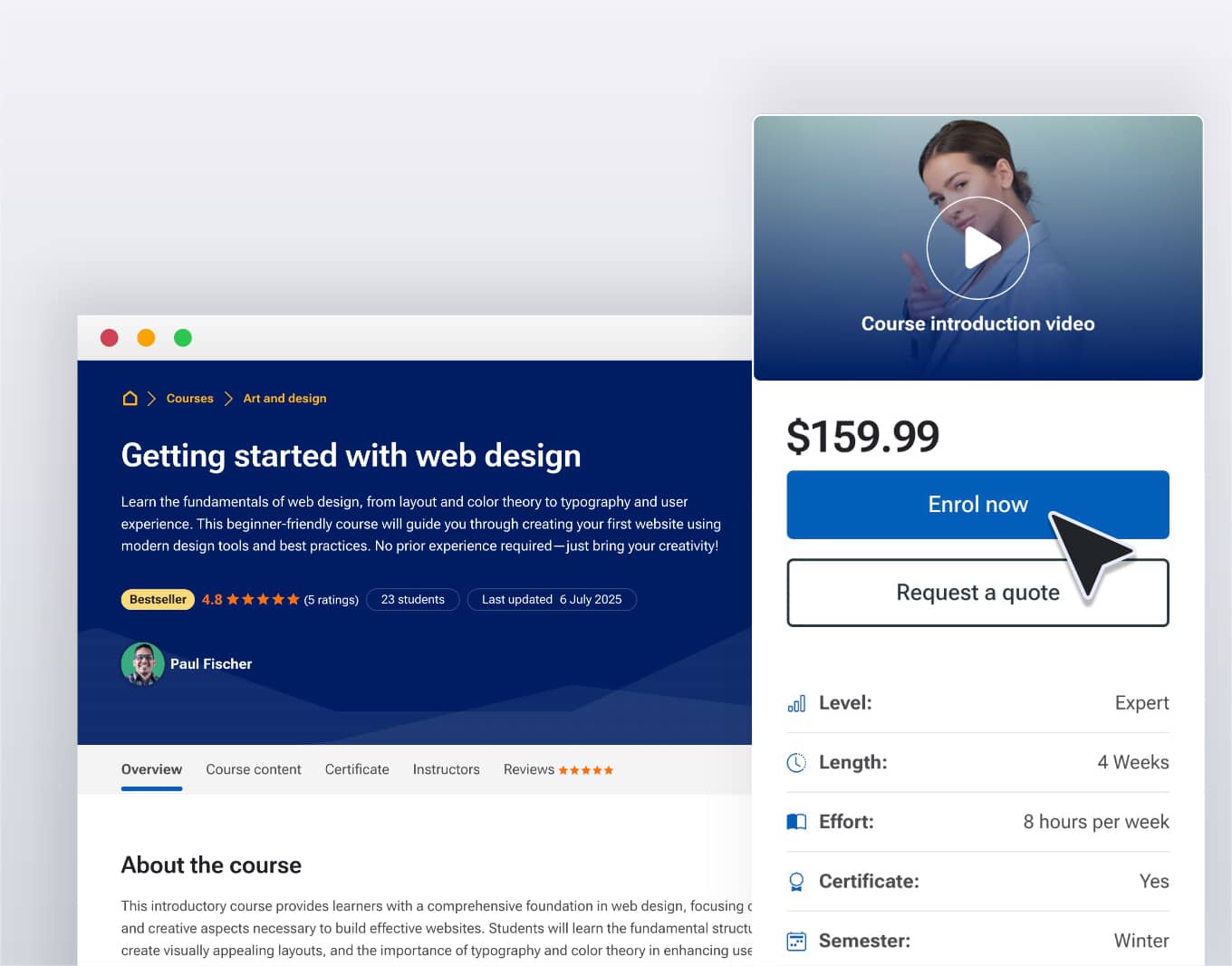
Course enrolment pages
Automatically displays course details and structure
Show essential course information, sections, activities, and structure automatically. Provide learners with a clear overview of each course before they start learning.
Custom course content sections
Create custom sections for syllabus, providers, projects, or any other additional course information. Extend your course pages with flexible content areas tailored to your learning platform needs.
Designed to increase course engagement and enrolments
Create attractive course pages that present information clearly and encourage learners to take action. Improve course discovery, engagement, and enrolment rates with professional layouts.
Learning experience
Enhance the Moodle learning experience with tools designed to improve focus, organization, and engagement. From structured course navigation and distraction-free learning modes to personal notes, everything is built to help learners stay focused and make progress more effectively.
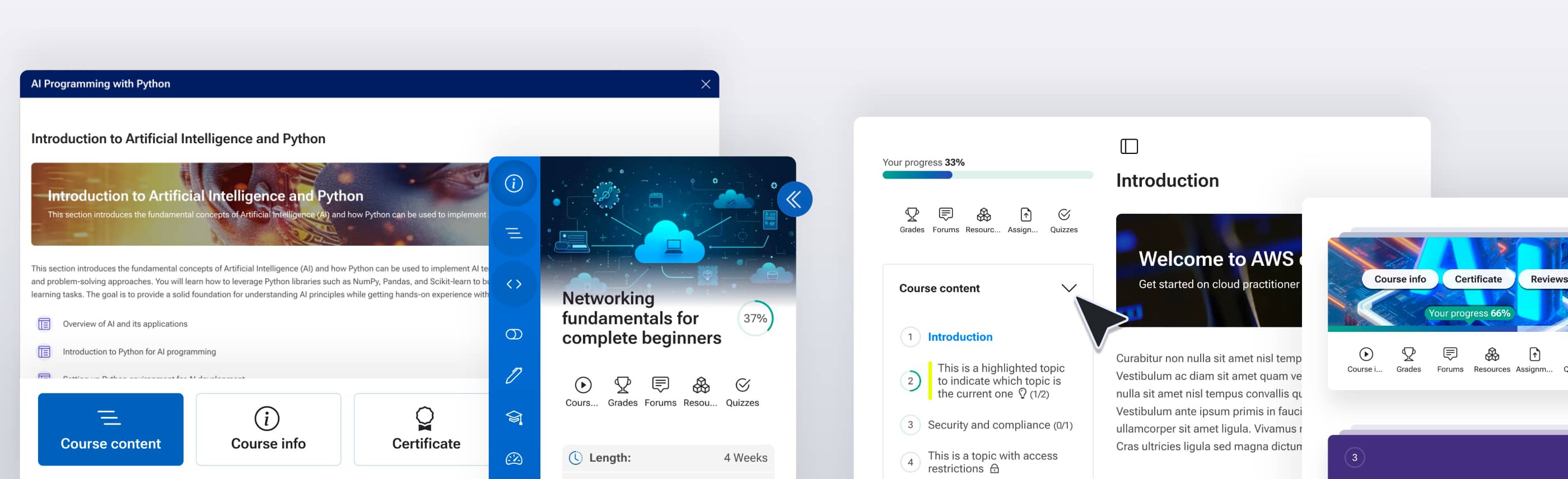
Custom course homepages
Enable custom course pages
Improve Moodle course pages without changing course formats.
Transform all course pages with a single click
Apply a custom course homepage layout to all Moodle courses instantly. No need to edit individual courses or change course formats.
Visualize learning progress automatically
Display course completion progress automatically and help learners track their learning journey at a glance.
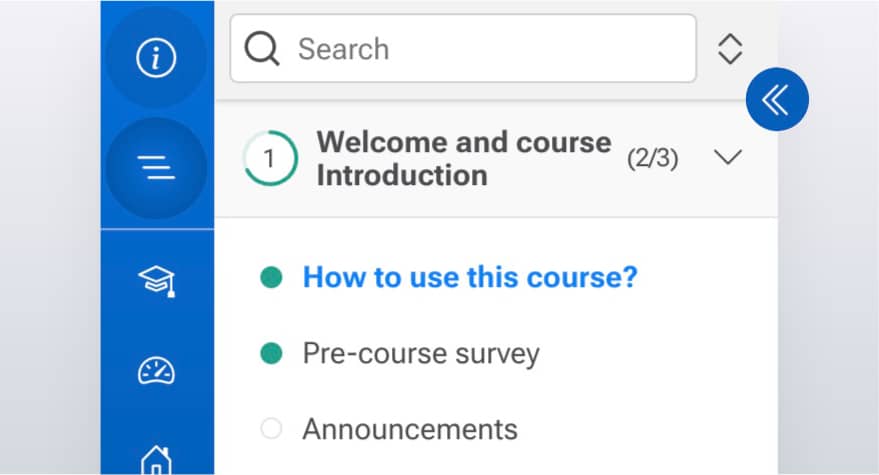
Course table of contents
Help learners navigate courses easily with an interactive table of contents that displays sections, activities, completion requirements, access status, and progress tracking in one place.
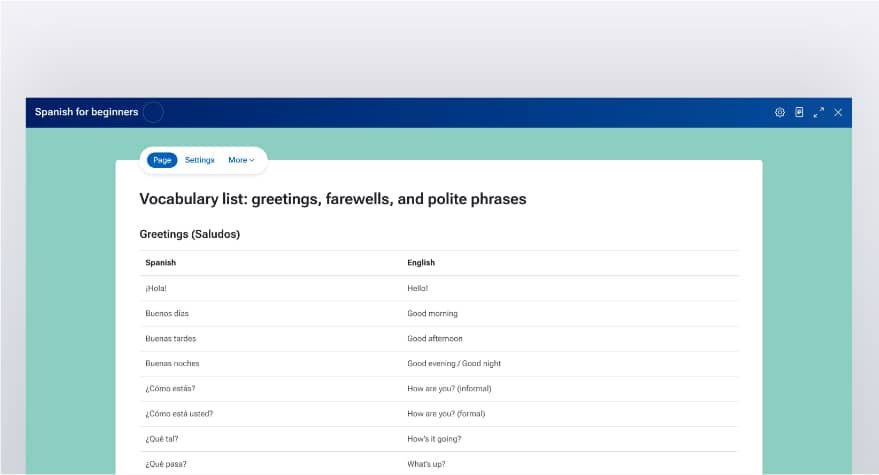
Course focus mode
Allow learners to focus on course content by hiding unnecessary interface elements and expanding the learning area. Provide a clean, full-screen environment designed for better concentration and engagement.
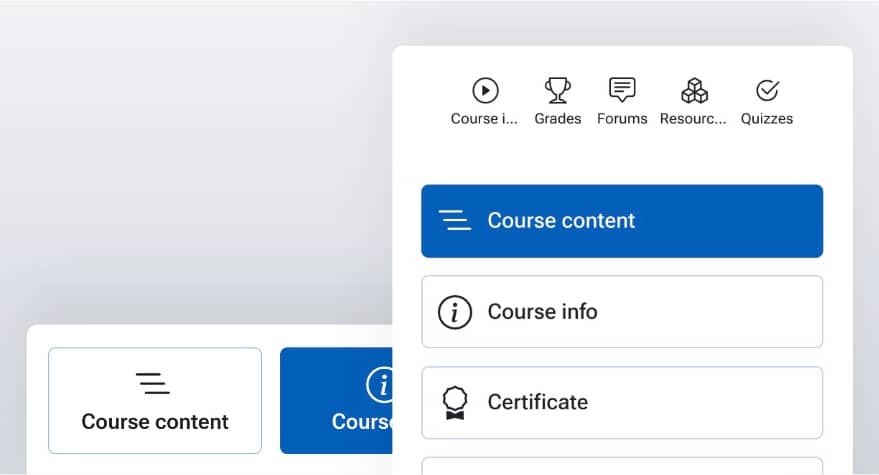
Custom course menu
Enable a clear and flexible navigation menu for Moodle courses. Help learners quickly access course sections, activities, and important resources with an improved course navigation experience.
The New Learning theme has brought our organizational learning platform up to a whole new level of professionalism and visual interest...
Branding and customization
Customize your Moodle platform to match your brand with flexible layouts, navigation, dashboards, menus, and design options.
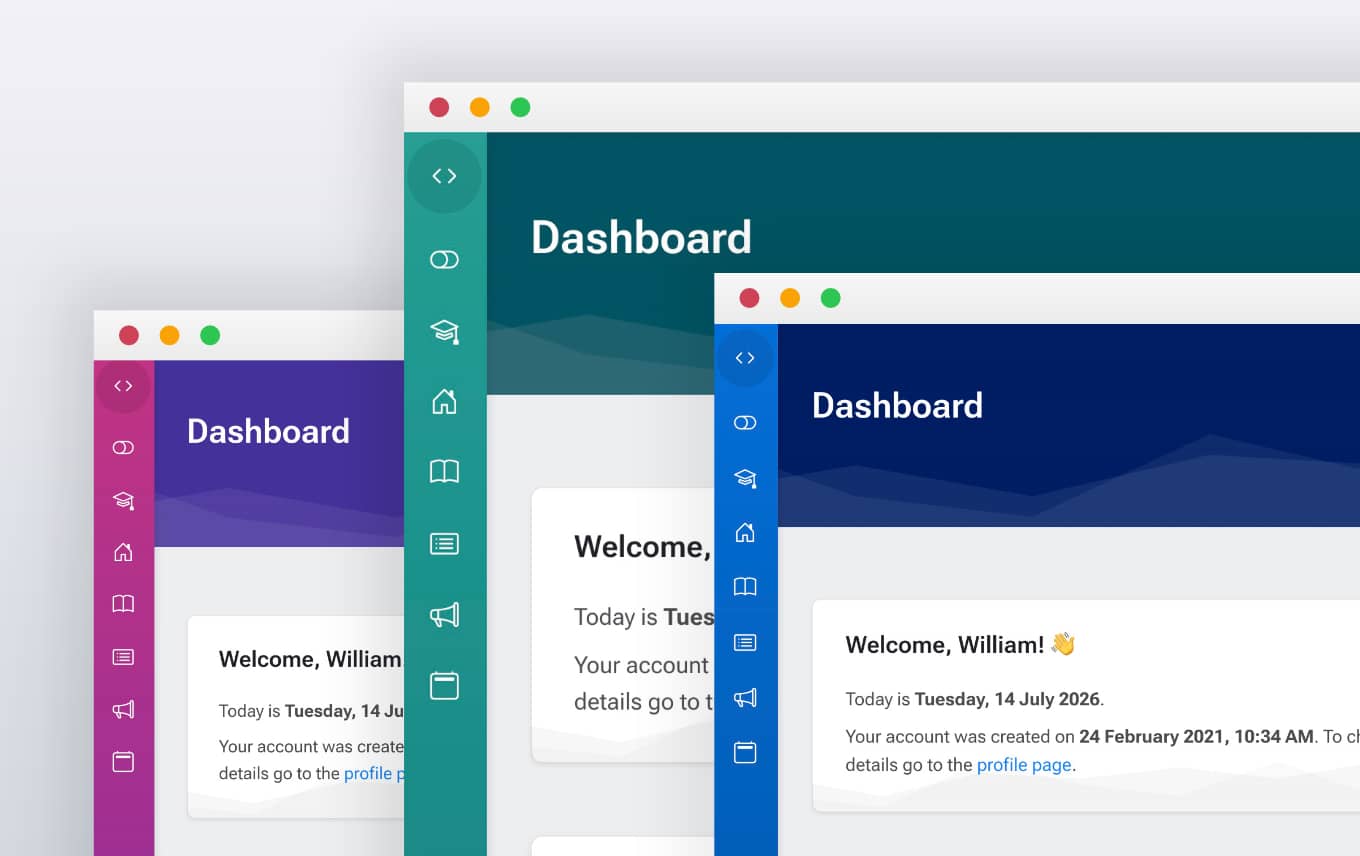
Unlimited color customization
Customize every aspect of your Moodle site's color scheme. Match your platform perfectly to your organization's brand identity.
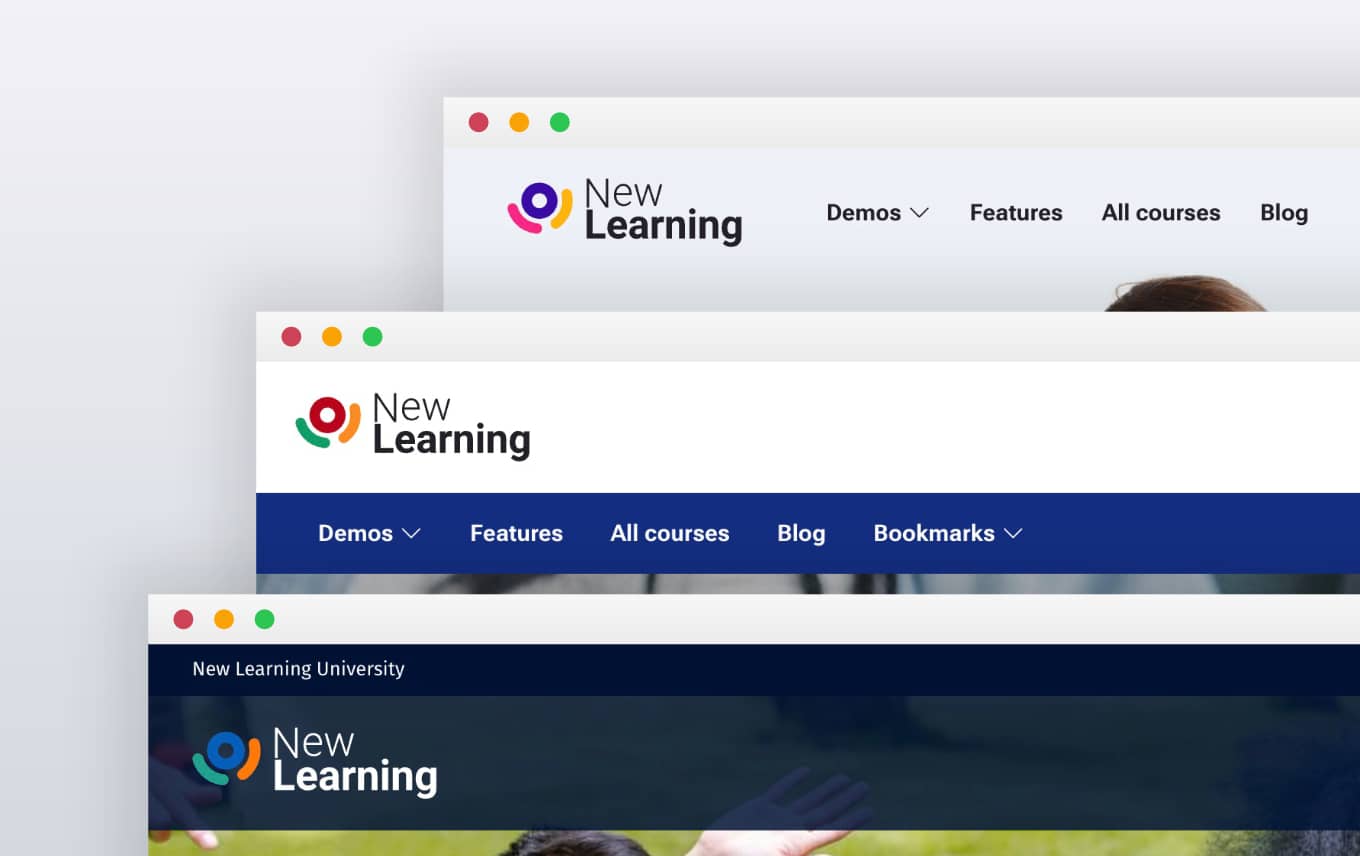
Multiple header styles and layouts
Create unique website designs with different header styles, navigation positions, and layout options. Adapt your Moodle interface to match your brand identity and provide a better user experience.
Custom fonts and typography
Customize your Moodle site's typography with ease. Choose your own fonts, adjust text styles, and create a consistent reading experience that matches your brand and improves readability.
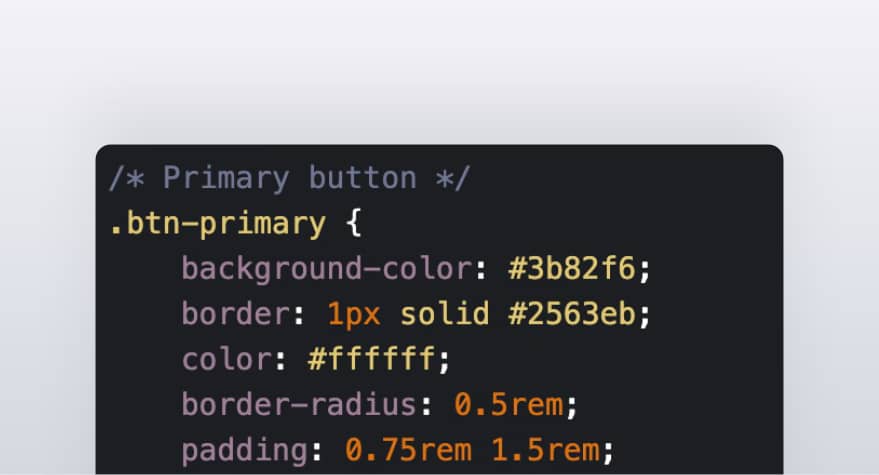
Custom CSS styling options
Add your own CSS to customize every aspect of your Moodle site's appearance. Fine-tune styles, override default design elements, and create a unique look without modifying the theme files.
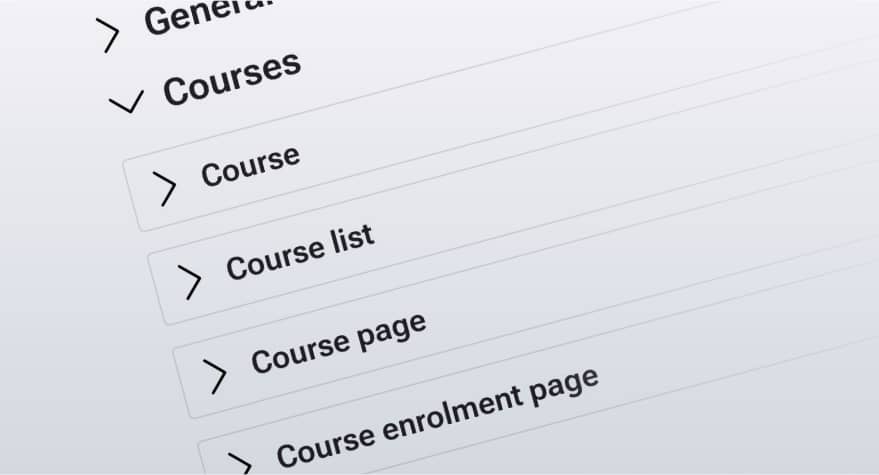
Detailed and well-organized settings
Enjoy a powerful yet easy-to-use settings panel with logically organized options. Configure your Moodle site quickly without searching through complex menus.
Explore all New Learning features
Explore all features included in the New Learning Premium Moodle Theme, from website building and accessibility tools to advanced learning experiences.
-
Live Page Builder for Moodle
Create professional Moodle pages and websites without coding
-
Web Accessibility Widget for Moodle
Improve Moodle accessibility with built-in user customization tools.
-
Advanced course filters
Improve Moodle course discovery with fast AJAX-powered filtering and custom field support.
-
Course enrolment pages
Create attractive Moodle course landing pages with pricing, instructors, and enrolment options to help sell courses online.
-
Custom course homepages
Customize every Moodle course page without installing course format plugins.
-
Course focus mode
Improve Moodle course pages with a focused layout that reduces distractions and gives learners more space for content.
-
Custom Moodle Dashboard
Create personalized Moodle dashboards with course information, learning progress, user insights, and site statistics.