
Custom Moodle Dashboard
Create a modern Moodle LMS dashboard for administrators and students
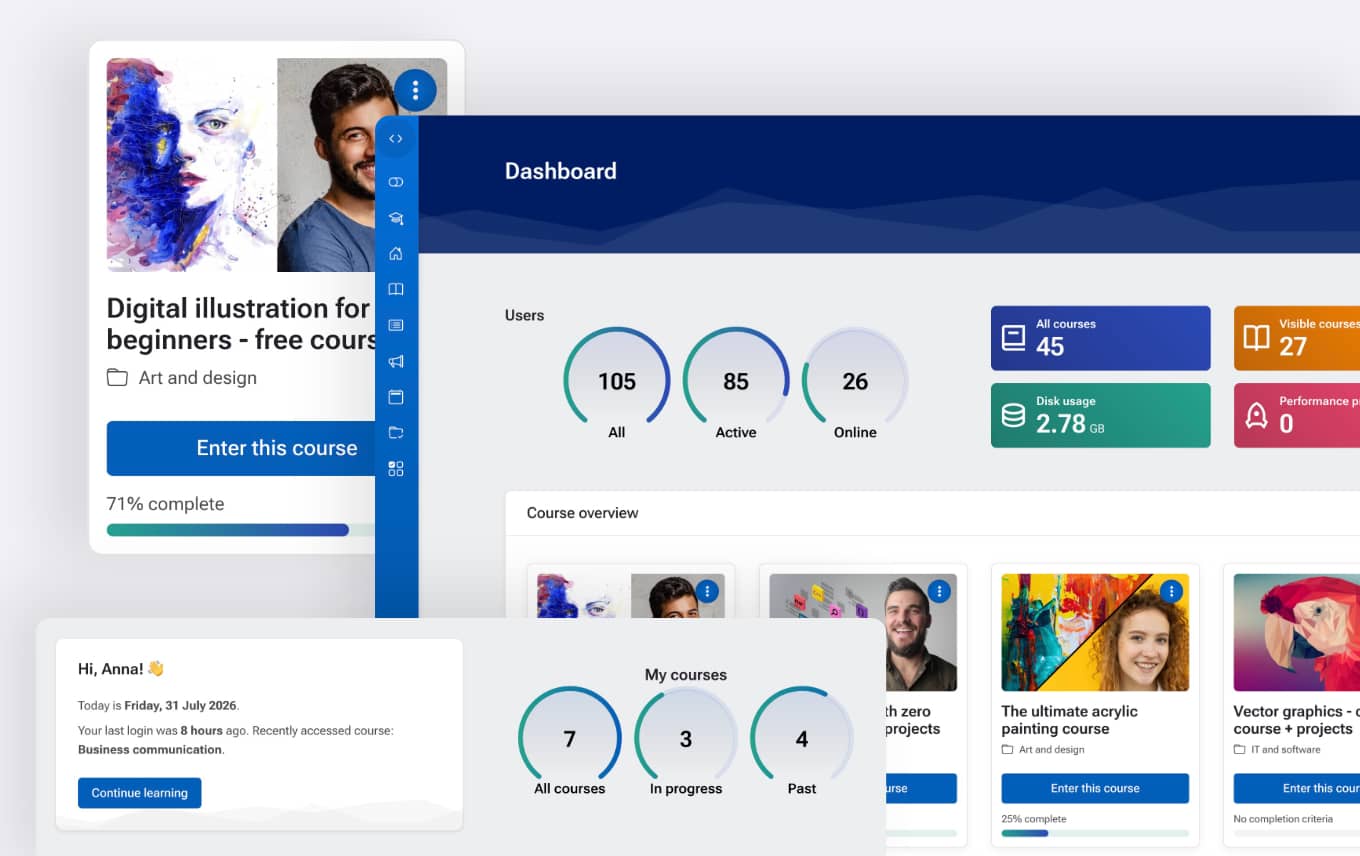
Improve the Moodle experience with personalized dashboards that display relevant information for different users. Administrators can access Moodle site, user, and course statistics, while students can view their enrolled courses, in-progress and completed courses, the last course they accessed, and other important learning information.
Key benefits
Create a modern Moodle dashboard experience with a professional design, personalized information, and easier access to important course content.
Better-looking Moodle dashboard
Replace the standard Moodle dashboard with a cleaner, more professional layout that improves navigation and the overall user experience.
Personalized information at a glance
Show users the information they need most, from Moodle statistics for administrators to course details and progress for students.
Faster access to courses
Help students quickly access their enrolled courses, track learning progress, and return to recently accessed content.
Ideal for:
Schools, universities, training providers, and businesses that want to improve Moodle navigation and create a more attractive dashboard experience for administrators and students.
Personalized student dashboard
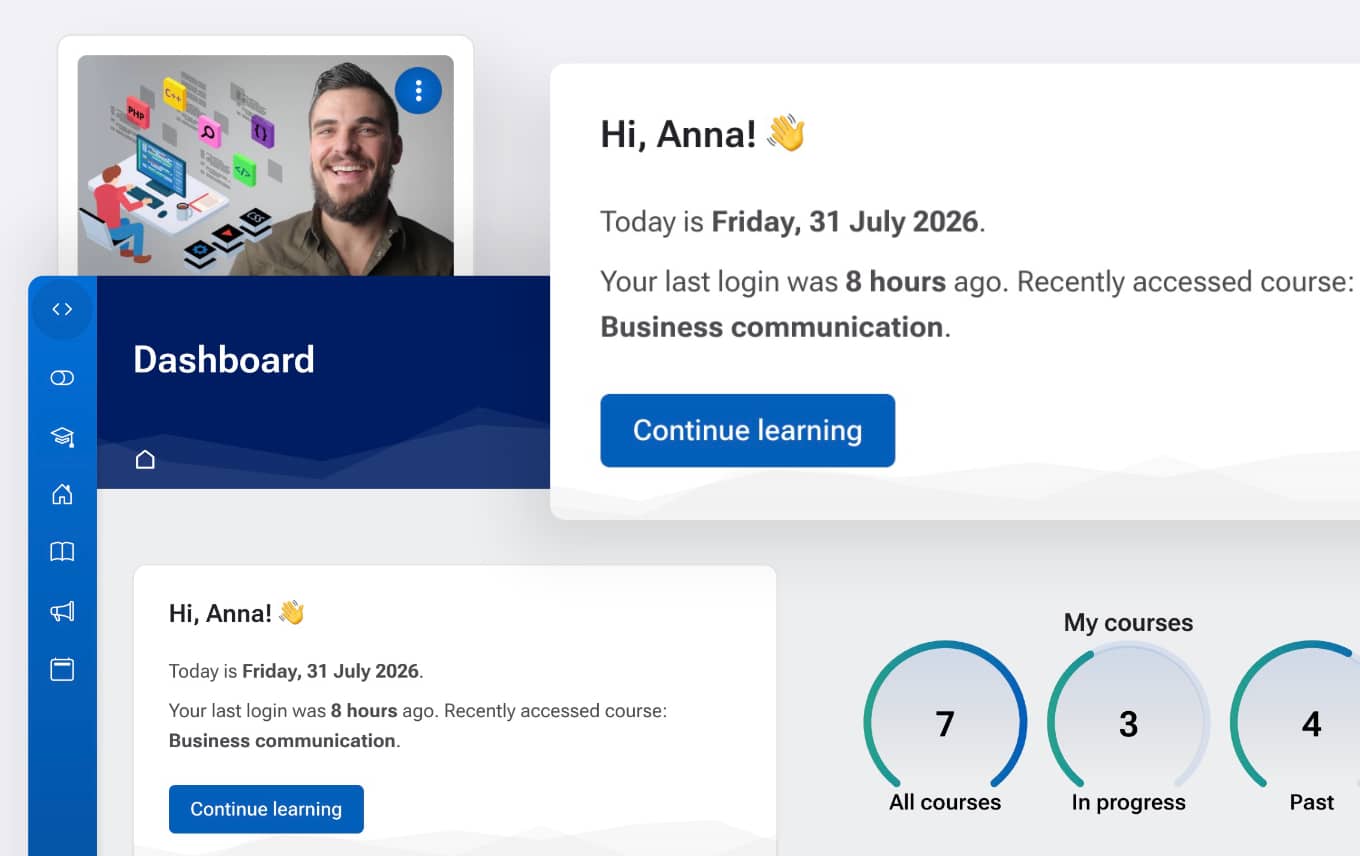
Give students a modern Moodle dashboard with personalized information, quick access to their courses, and a clear overview of their learning progress.
Personal welcome area
Display a personalized welcome section with the student's name, last login information, and recently accessed course.
Course progress overview
Help students track their learning journey with a clear overview of in-progress and completed courses displayed with elegant circular progress indicators.
Quick access to learning
Make it easier for students to return to their courses and quickly find the content they need from a modern dashboard layout.
Administrator dashboard overview
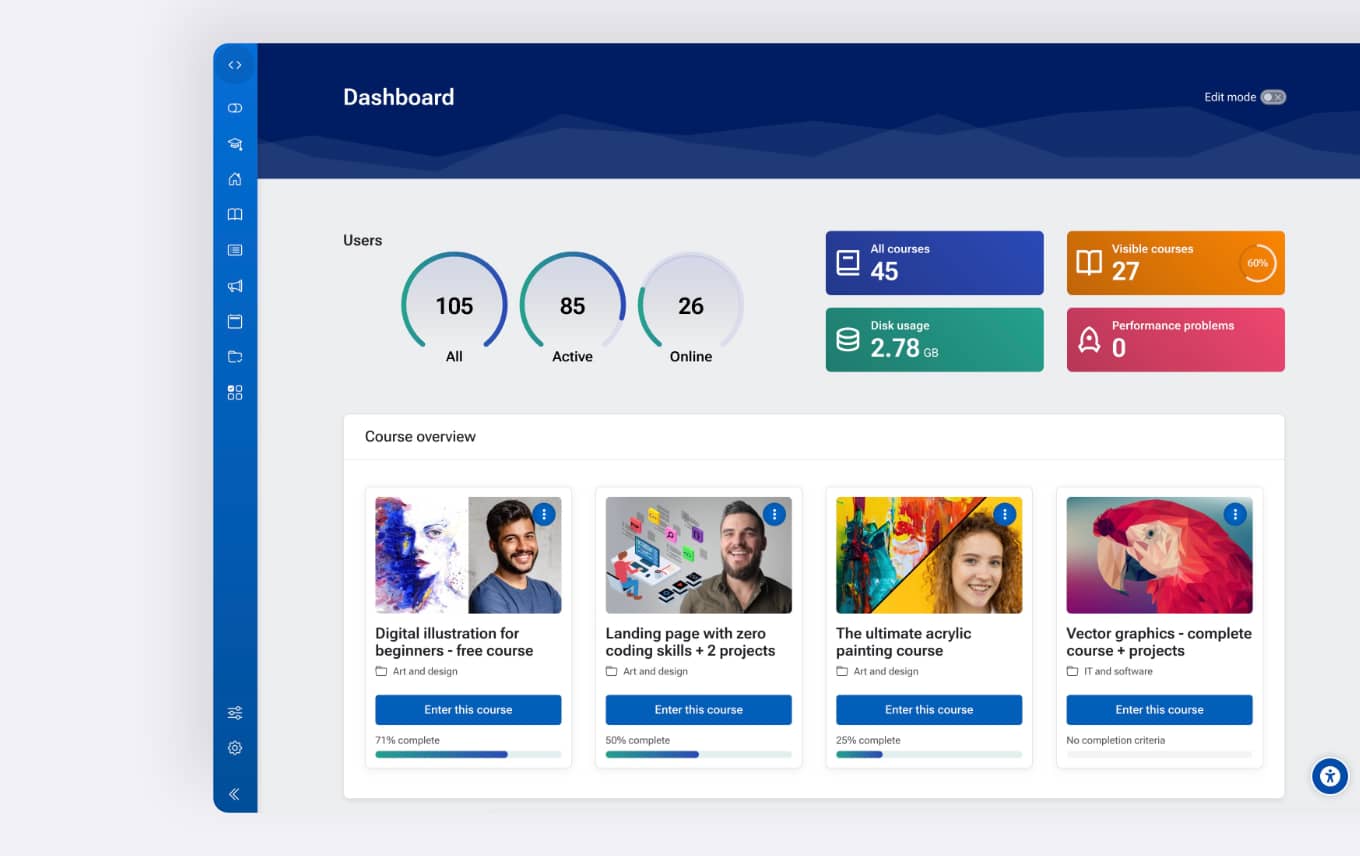
Give Moodle administrators a clear overview of site activity, users, courses, and important platform information in a modern dashboard layout.
User activity overview
Monitor Moodle users with visual progress indicators showing total users, active users, and recently logged-in users.
Site information at a glance
View important Moodle information including visible courses, disk usage, and performance-related notifications.
Modern admin experience
Replace the standard Moodle dashboard with a cleaner, more organized interface that helps administrators quickly understand site status.
Real user feedback
This is, without question, the best theme that i've ever deployed into Moodle. The features and functionality included are second to none and it's all wrapped up in easy-to-use configuration panels. I honestly couldn't ask for anything more.
Easy setup and control
Enable custom Moodle dashboards directly from the New Learning theme settings without installing additional plugins or rebuilding your Moodle site.
Built into the theme
Use the dashboard feature without additional plugins. Everything is included in the New Learning theme and works with your existing Moodle installation.
One-click activation
Enable the custom dashboard easily from the theme settings and start displaying personalized information immediately.
Role-based control
Choose which user roles can access the custom dashboard and keep the standard Moodle dashboard for selected users when needed.
Explore all New Learning features
Explore all features included in the New Learning Premium Moodle Theme, from website building and accessibility tools to advanced learning experiences.
-
Live Page Builder for Moodle
Create professional Moodle pages and websites without coding
-
Web Accessibility Widget for Moodle
Improve Moodle accessibility with built-in user customization tools.
-
Advanced course filters
Improve Moodle course discovery with fast AJAX-powered filtering and custom field support.
-
Course enrolment pages
Create attractive Moodle course landing pages with pricing, instructors, and enrolment options to help sell courses online.
-
Custom course homepages
Customize every Moodle course page without installing course format plugins.
-
Course focus mode
Improve Moodle course pages with a focused layout that reduces distractions and gives learners more space for content.
-
Custom Moodle Dashboard
Create personalized Moodle dashboards with course information, learning progress, user insights, and site statistics.